Log File Integration for Drilling Data
Centralize field logs, technical files, and operational records in one searchable workflow
From File-Based Logs to Usable Drilling Knowledge
DrillQ connects log files and file-based technical records so teams can preserve operational detail that would otherwise stay hidden in folders, attachments, and local systems. By structuring and indexing log data, DrillQ makes it easier to search historical records, correlate events, and use field knowledge across reporting, analytics, and planning workflows.
Challenges with Drilling Log Files
Log files contain important operational context, but they are often hard to trust, search, and connect to the rest of the drilling record:
- Logs are scattered across shared drives, emails, local folders, and vendor systems
- File naming and formatting differ by team, rig, service company, and campaign
- Important event details are difficult to find after the operation is complete
- Log entries are not always connected to well depth, time, activity, or sensor data
- Manual review slows down troubleshooting, reporting, and lessons-learned workflows
How DrillQ Integrates Log Files
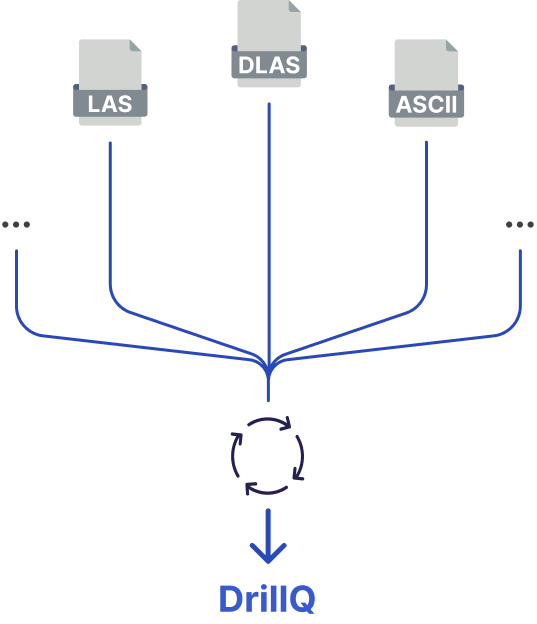
DrillQ turns file-based logs into connected operational data that can be searched, compared, and analyzed.
- Connect file sources
Ingest logs from field folders, technical repositories, service reports, and operational archives.
- Extract and structure records
Parse key details, map them to well context, and standardize terminology for reuse.
- Correlate logs with operations
Connect log entries to reports, activities, time-series data, and events across DrillQ modules.
Key Capabilities for Log File Integration
- Centralized access to file-based drilling logs and technical records
- Structured extraction of operational details and event notes
- Search across wells, rigs, dates, activities, and keywords
- Correlation with reporting, WITSML, and analytics workflows
See It In Action
Field log consolidation
Bring daily field logs, technical files, and operational notes into one searchable environment.
Event investigation
Correlate log entries with well data, reports, and time-series signals to review incidents and performance changes.
Historical search
Find previous issues, lessons, and operational details across wells without digging through shared folders.